
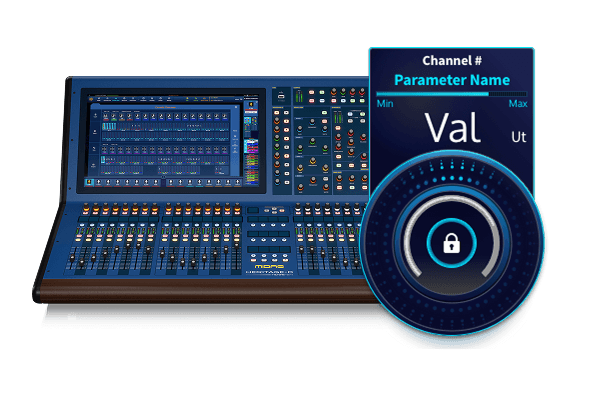
Rotary Design
TLDR: My Role & Results
Senior UI/UX Designer
Interaction design, user research, prototyping, UI Design, cross squad collaboration.
My Role
As senior UX designer I worked on the interaction design for the rotary controls across the digital mixing desk interface, including UX and interaction design strategy and user research and testing.
Results
$20 million
Presale revenue
Award-winning
InfoComm "Best in Show" 2022, 2024
> Confidence
Introduction of consistent touch screen interactions.
Scenario
Building an analog feeling interaction in a digital world
Midas create high end audio products known for their sound quality and low latency. Moving from analog mixing desks the company moved into digital desks with the pro-series in 2006, a suite of positively received digital desks with the famous Midas sound quality and convenience of digital audio.
During this case study I focus on the design of rotary control interactions for the flagship 21-inch touchscreen mixing desk ensuring users retain the precision and feel of physical rotary knobs in a digital environment.
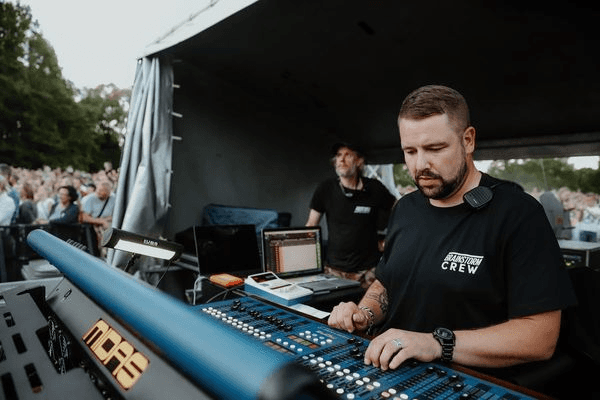
Control interface

Professional audio engineers are deeply familiar with analog mixing consoles where rotary knobs provide tactile feedback and high precision. Earlier digital interfaces on the Midas Pro-series used traditional X/Y touchscreen interactions that
Rotaries afford space where larger controls would be unmanageable in both the physical and digital world.
Existing interactions
X-axis – Existing Midas Pro-series interaction
Animate
Y-axis
Animate
Task
Create a modern interaction that feels analog
Moving to a 21-inch touchscreen on a mixing desk made significant changes to the surface layout, removing majority of rotary controls. Removing these physical controls was a concern for pro-audio specialists trained on or experienced with analog mixing desks. It was important to introduce a control which worked similarly to the physical control, was recognisable and provided clear feedback.
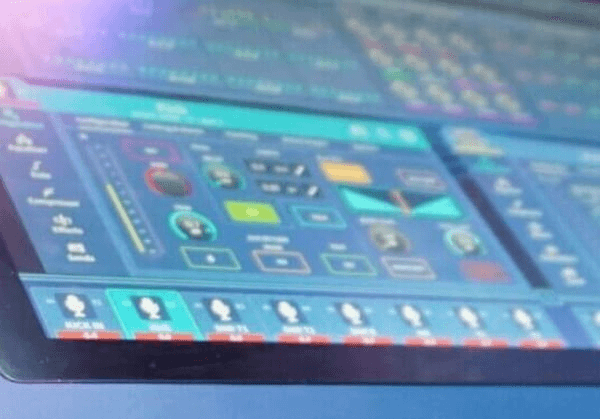
Usability testing
Because the HD-96 mixing desk was under NDA, external user testing wasn’t possible. Instead, we conducted invitation SMEs, internal AB and hallway testing with engineers, sound specialists, and QA personnel to observe interaction behavior with the previous X/Y-axis controls.
Users struggled to gauge control values due to an invisible interaction axis
Dragging to limits constrained adjustments and required consistent mouse interaction
Lack of predictable control feedback reduced confidence in precision
These insights informed the need for a more intuitive and physically represented interaction model.

Interaction development
Proposed interaction
Rotational control
Animate
Interaction advantages
Ratio control
Animate
Precision
Animate
Constraints
Touch screen constraints
With the changes made to the interaction for touch screen, it was important to also provide better feedback to the customer and account for issues with blocking from touch placement. We must also consider how the user will approach the new interaction.
Touchscreen require larger touch targets than traditional controls.
Information can be covered and hidden by touch interaction.
Analog controls are always available and precise.
Component design
Wireframe development

Larger touch targets were required to inspire user confidence and avoid mistouches

Adding an exterior indicator ring increased the touch area and improved visibility of the rotary level

The outer exterior indicator improved clarity affording replacing the indicator line with a single point

The space gained by using the point indicator allowed for a value and unit reading in the centre of the rotary
Providing unit and value within the rotary saved space and provided important information to the user at all times.
Expanding control
The main pain point from the user testing was the lack of indication that the rotary was selected. The initial solution involved expanding the rotary size and presenting the intended path to the user.
By presenting the rotary in an expanded form it was clear that the user was interacting with it. The expanded design afforded more space for the values, including minimum and maximum values.

Rotary expands to provide user clarity
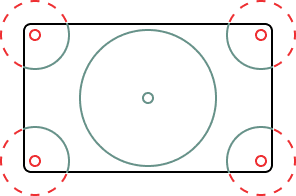
Screen extents create interaction limitation
Screen limits
The available functionality of the rotary is affected by the position on the screen. Screen limits can cause a drop in touch recognition, presenting unexpected release of the rotary and confusion for the user.
Some controls on a mixing desk require regular fine tuning, the majority of these controls were replicated on the hardware for the users ease of use.
All shows and engineers work differently, so we wanted to introduce ways of keeping controls available to engineers at all times. Introducing assignable physical rotaries was a good start, allowing users to modify their surface layout, it was important to provide a digital option as well.
Lockable pop-out rotary
A lockable pop-out rotary was introduced that:
Could be pinned anywhere on the screen
Solved issues with screen edge limits
Enabled users to prioritise frequently used controls in convenient screen real-estate
With the addition of hardware surface controls and digital innovation the user is offered customisability with accessibility, aligning with how analog sound engineers set up physical mixing desks.
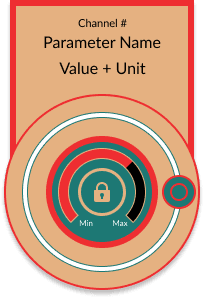
Final rotary wireframe with modal locking feature
Component summary
Control appearance
As the HD96 was built to be an innovative new step in digital mixing desks, the visual aesthetic and feeling of the product was important.
Created larger touch targets for rotary caps.
Replaced blocking indicator lines with central value and unit display.
Introduced expanding controls during interaction for clarity and confidence.
Introduced customisability and accessibility to important controls.
Improved visibility of active controls, reducing user error and mistouches.
Built a reusable component design standard that could be themed to match operation.
These enhancements reduced cognitive load and made interactions more discoverable and predictable.
Themed examples
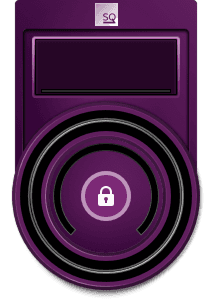
Sq1 Compressor

Stressor Compressor
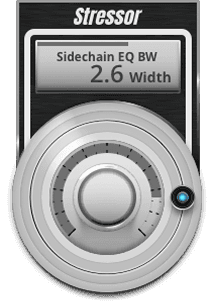
Stressor Compressor

TC2290 Compressor
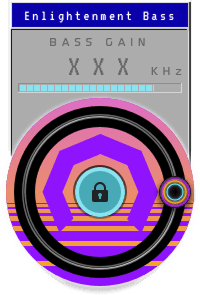
Enlightenment Bass
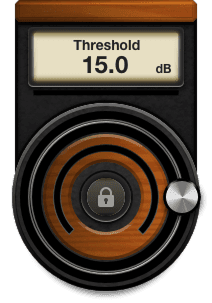
BBX160 Compressor

Midasia Compressor
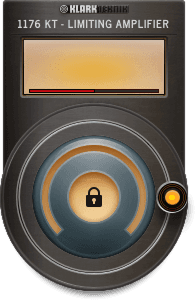
Limiting Amplifier
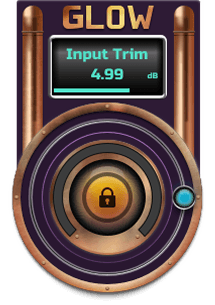
Glow Exciter
Outcome and impact
The final rotary controls:
Successfully translated the tactile experience of analog knobs into a digital interface
Increased usability and precision for professional audio engineers
Supported both touchscreen and optional physical rotary pinning
Contributed to the product being showcased and awarded InfoComm Best of Show 2022 and 2024
Supported preorder sales exceeding $20M+
Reinforced Midas’ reputation for high-performing pro audio equipment
These outcomes reflect strong adoption and endorsement from both internal stakeholders and the professional audio community.
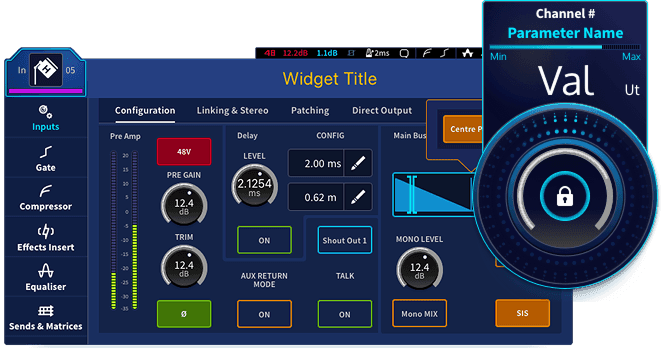
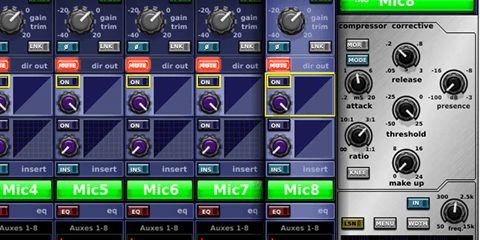
Example channel controls and rotary
Reflection and key learnings
Metaphor matters:
Designing digital interactions that mirror familiar physical actions improves usability dramatically.
Contextual precision
Large screens enable new interaction models but require careful consideration of touch affordances.
Test early, iterate often:
Even limited internal testing can reveal critical interaction issues that drastically change design direction.
User confidence is key
Clear feedback and predictable control behavior are crucial for expert end users.